
Settings
The following are the steps to change the theme, language, and other settings in the Masjid Media app.
As an initial step to modify features such as Theme, Language, Distance Unit, and Search Radius, select the "Me" menu at the bottom after logging in, as shown in the image below.
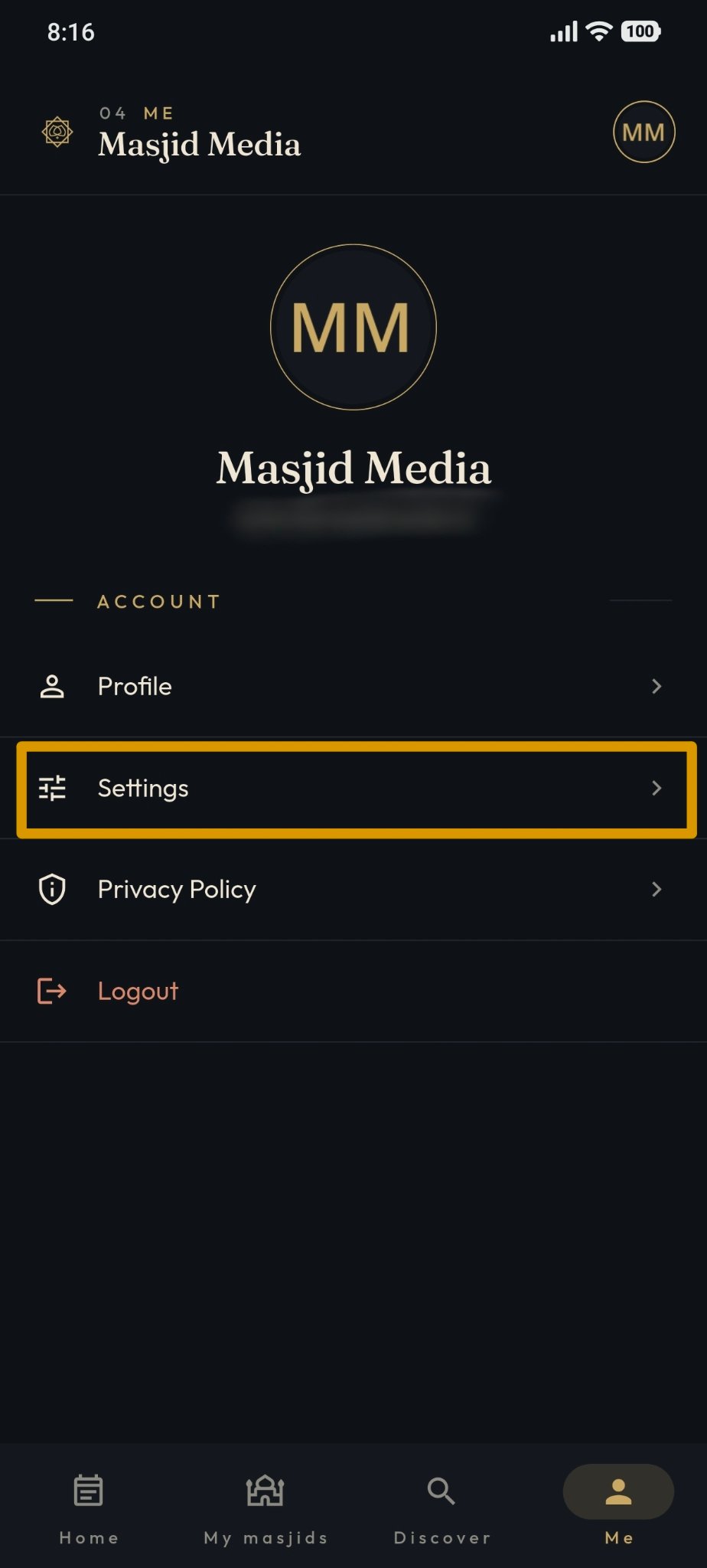
The features available under "Settings" include the following.
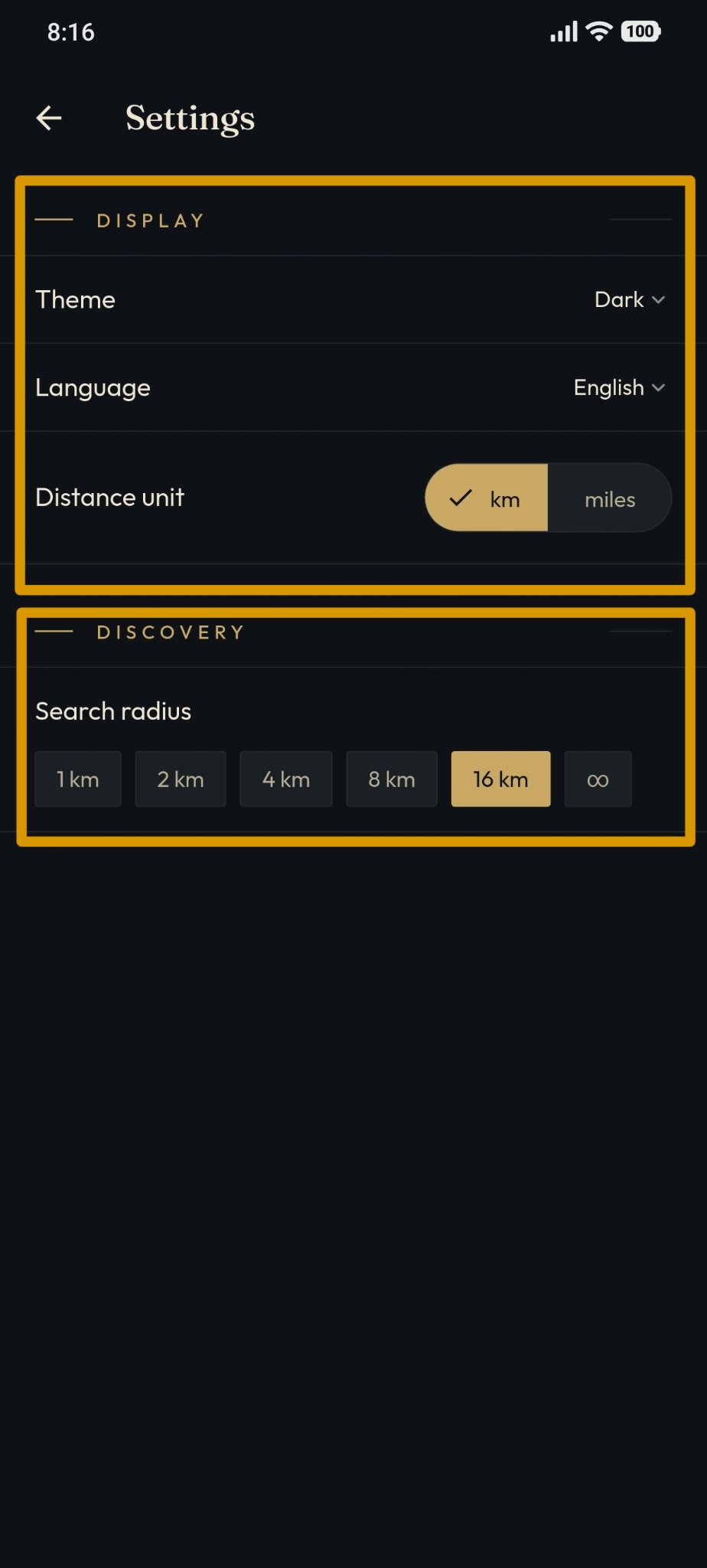
As shown in the image above, the features within the "Settings" menu section are as follows:
Display (Theme): Used to change the app's display theme. Available options include Dark, Light, and System (default).
Display (Language): Used to change the language used in the app, such as Automatic (Indonesian), English, and Indonesian.
Display (Distance Unit): Used to select the distance unit used in the app, namely kilometers (km) and miles.
Discovery (Search Radius): Used to specify the masjid search radius based on distance.