Demote to Jamaah
Steps to demote an admin to a jamaah in the Masjid Media app are as follows:
To demote an admin's role to a jamaah, use the "Demote to Jamaah" feature.
The "Demote to Jamaah" feature is located on the "My Masjids" page. Select the "Owner" tab for the masjid you wish to manage. If you do not have a masjid yet, you can follow the creation steps in the following guide: Create Masjid
The display of the masjid page will look like the following image.
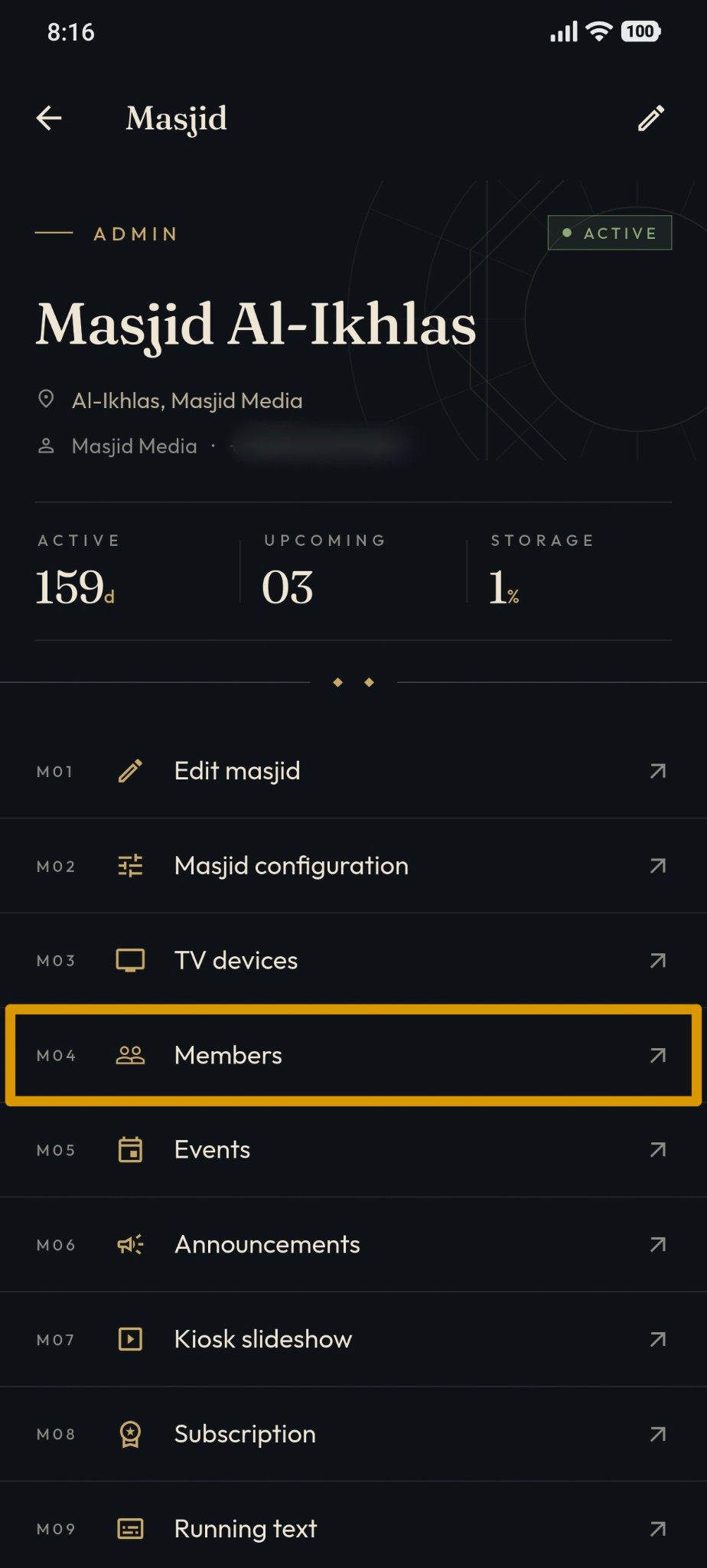
Select the "Members" feature located in the top menu to display users registered with the masjid.
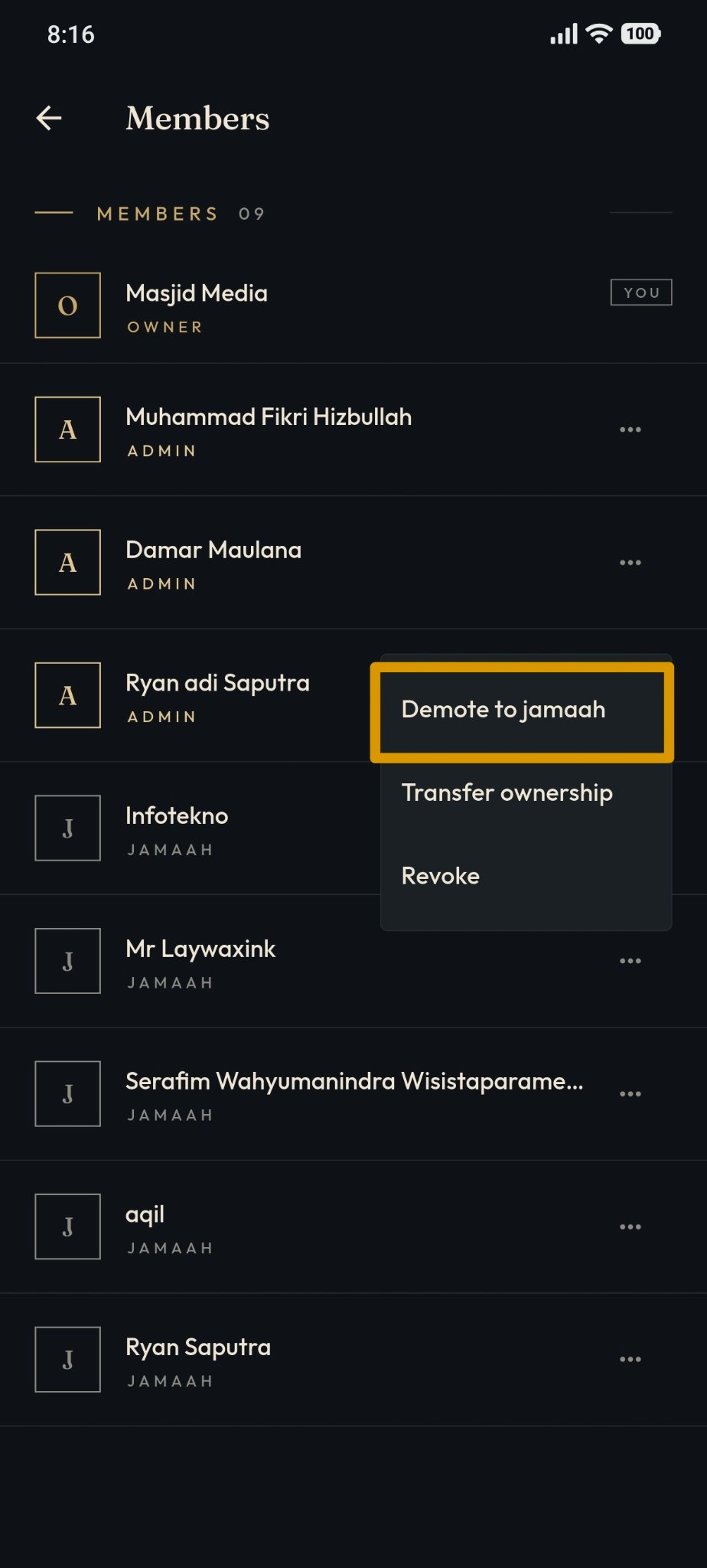
To demote an admin to a jamaah, press the "Demote to Jamaah" button located in the area highlighted in the image below.
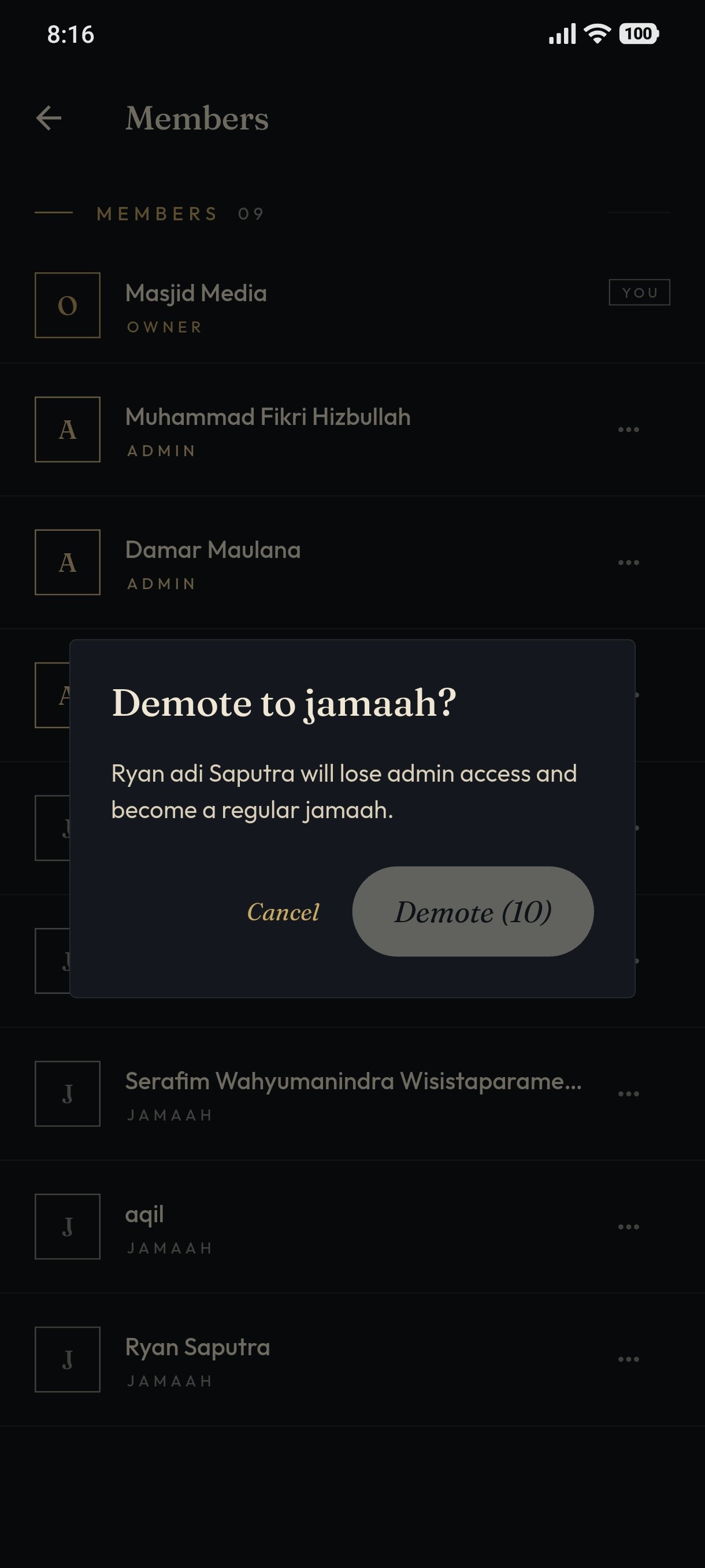
Choose the admin whose role you want to demote to a jamaah. Next, wait until the countdown finishes, then follow each displayed step until the process is completed.
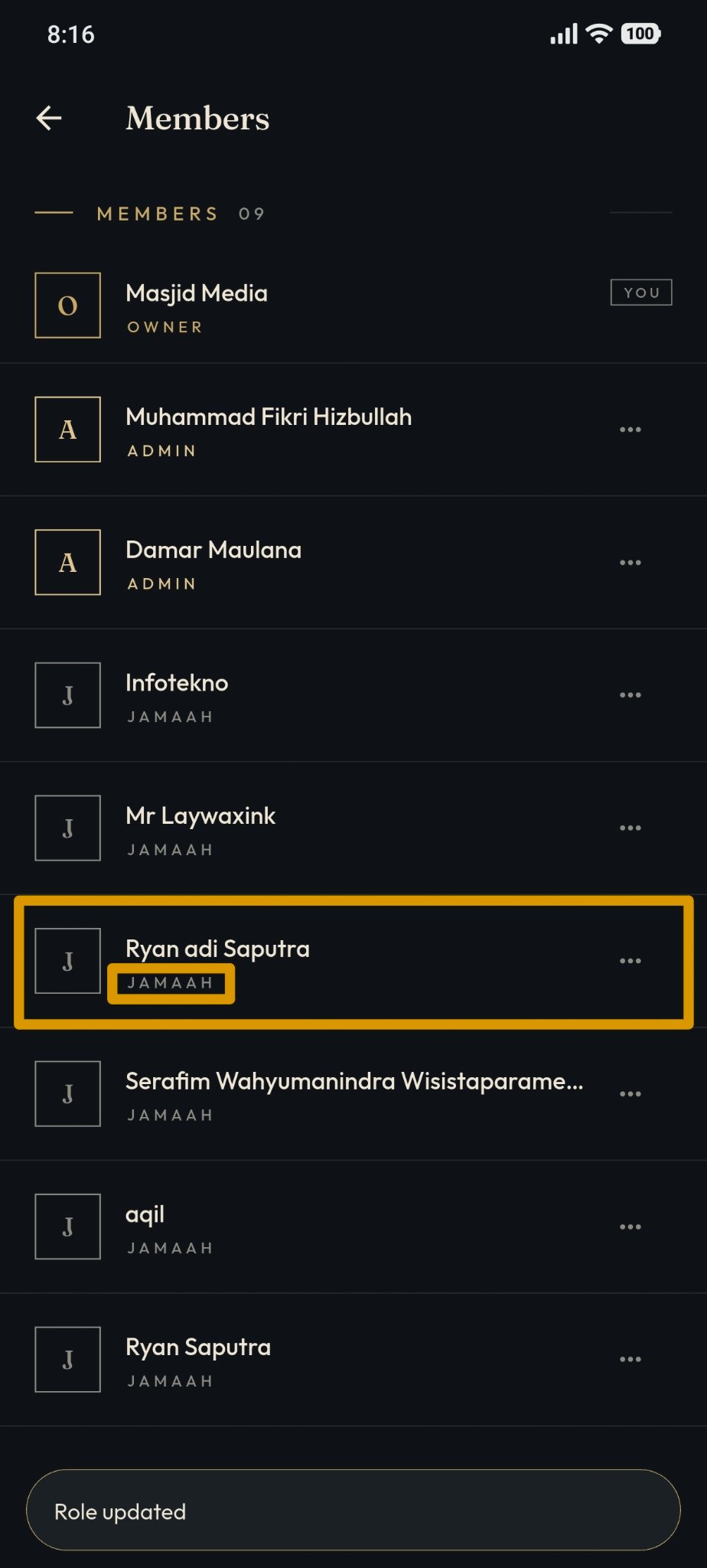
The result after the admin has been successfully demoted to a jamaah can be seen in the image below.