
Edit Masjid
Steps to edit masjid data in the Masjid Media app are as follows:
If you want to change masjid data, such as an incorrect address, updated takmir names, or other information, you can use the "Edit Masjid" feature.
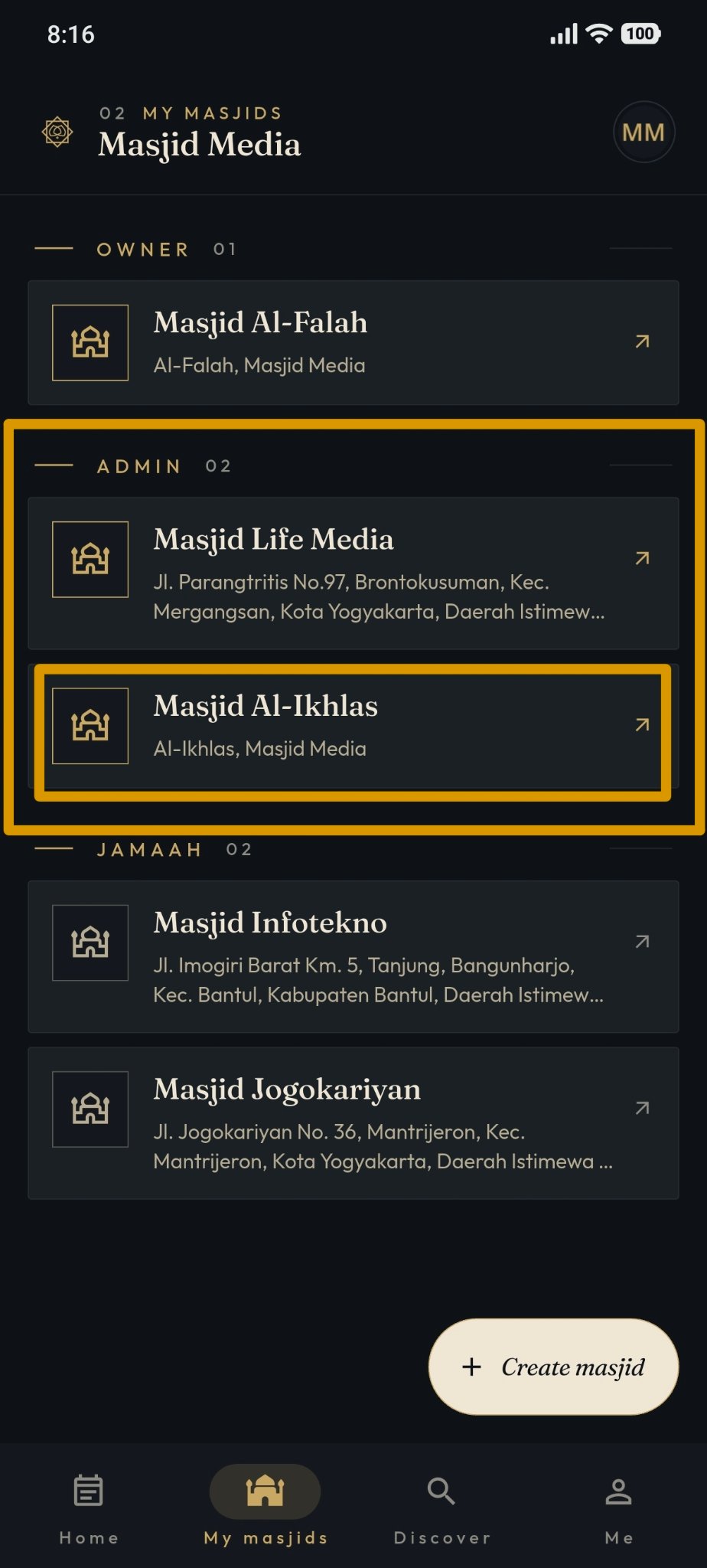
The "Edit Masjid" feature is located on the "My Masjids" page. Click on "Owner" or "Admin" for the masjid you wish to modify. If you do not have a masjid yet, you can create one by following the steps in this file: Create Masjid
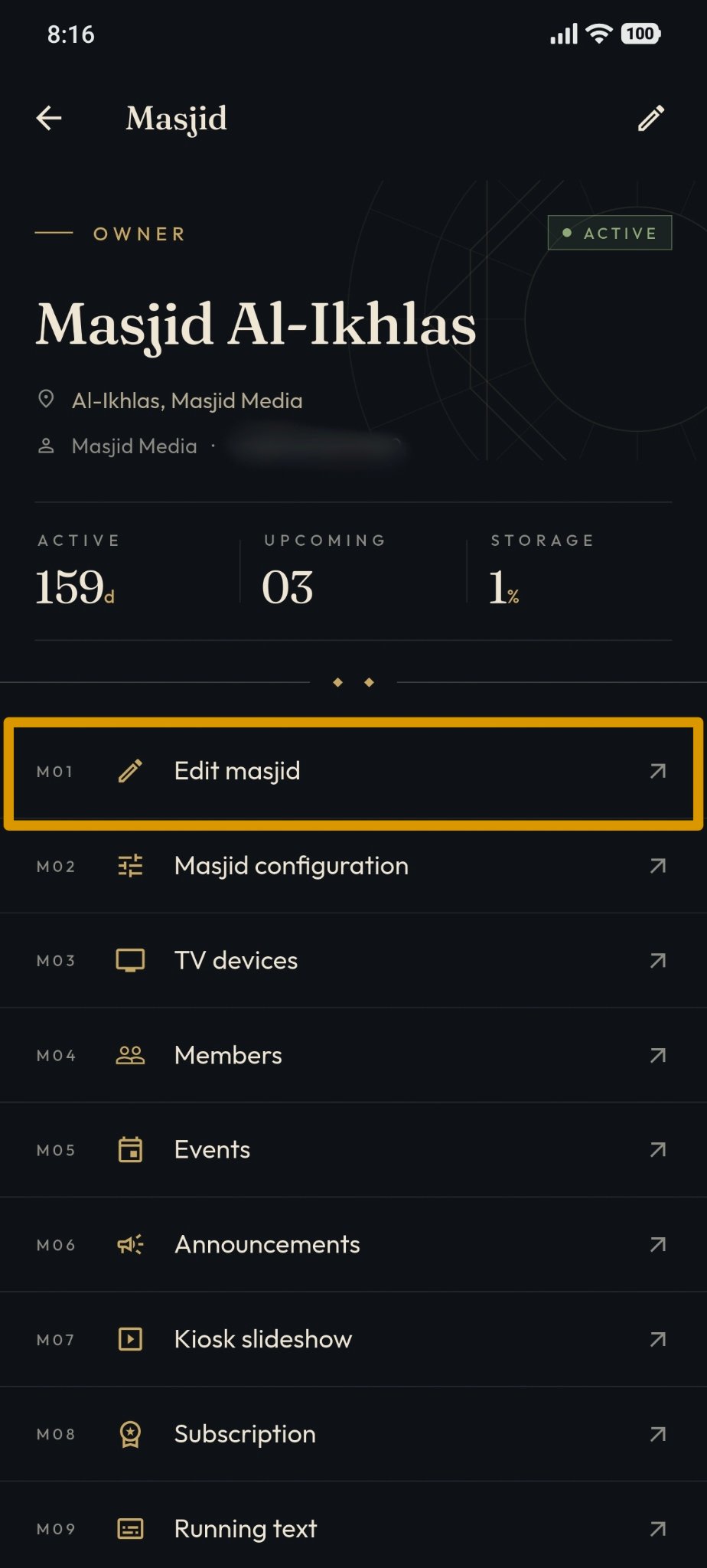
Select "Edit Masjid" from the available features, as shown in the image below.
In the "Edit Masjid" feature, you can update the masjid information. An example of the display can be seen in the following image.
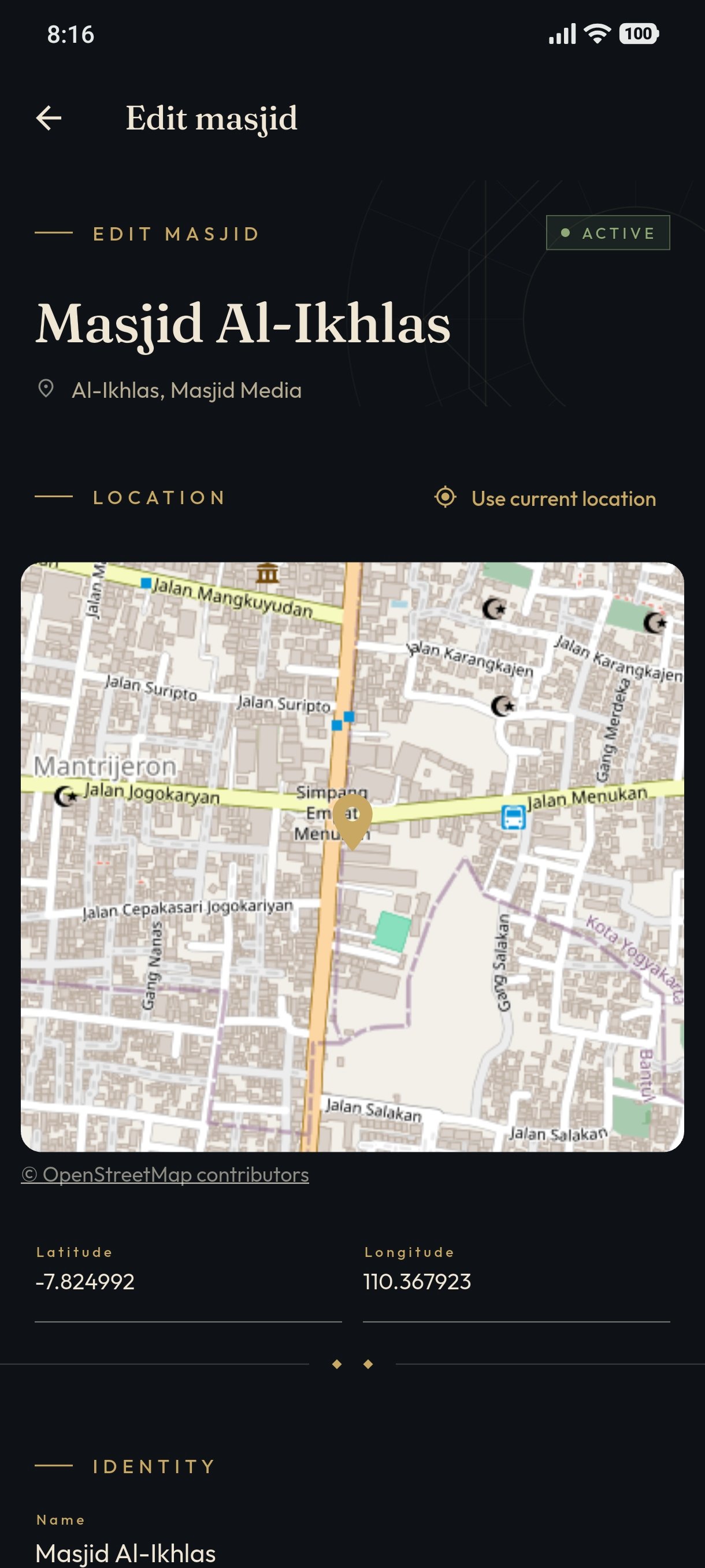
You can modify features such as the masjid location, Latitude and Longitude to ensure accurate coordinates, Masjid Name, and more.
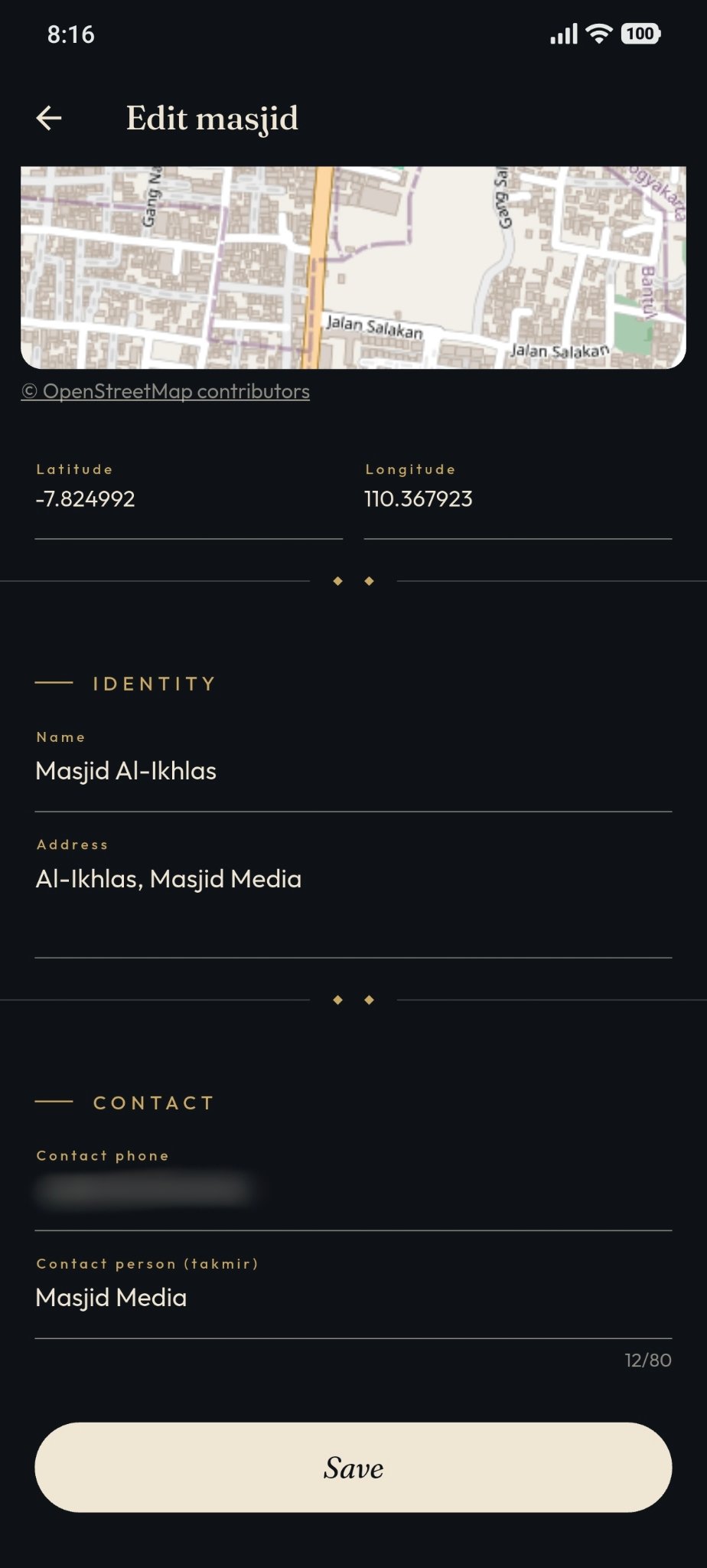
Once the updated masjid data is correct, click the "Save" button at the bottom to save your changes.