
Subscription Management
Steps to manage mosque subscription in Masjid Media:
Open "My Mosque" from the main navigation.
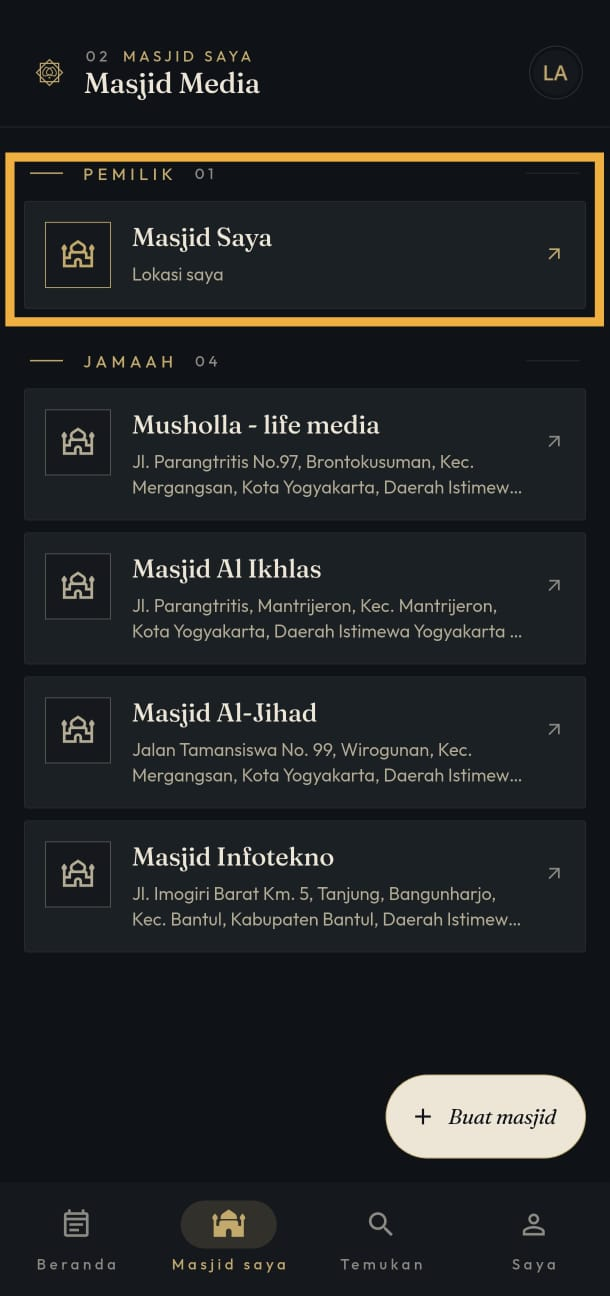
Select your mosque under "Owner". If you haven't created a mosque profile yet, follow Create Mosque.
Scroll down to find the "Subscription" feature.
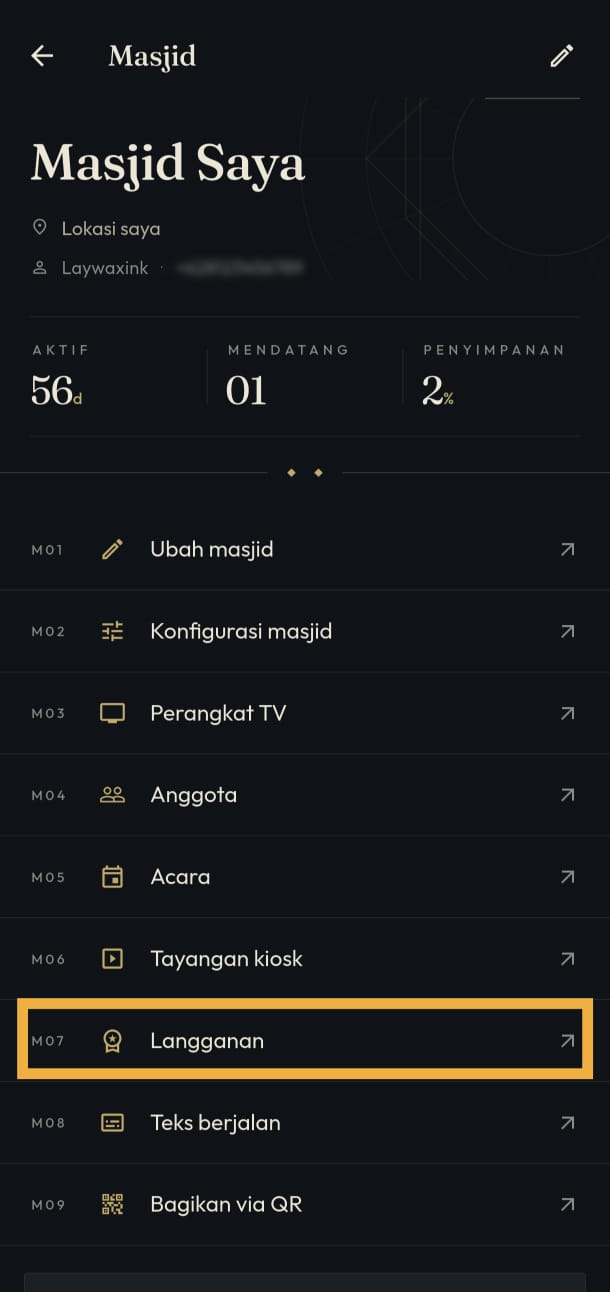
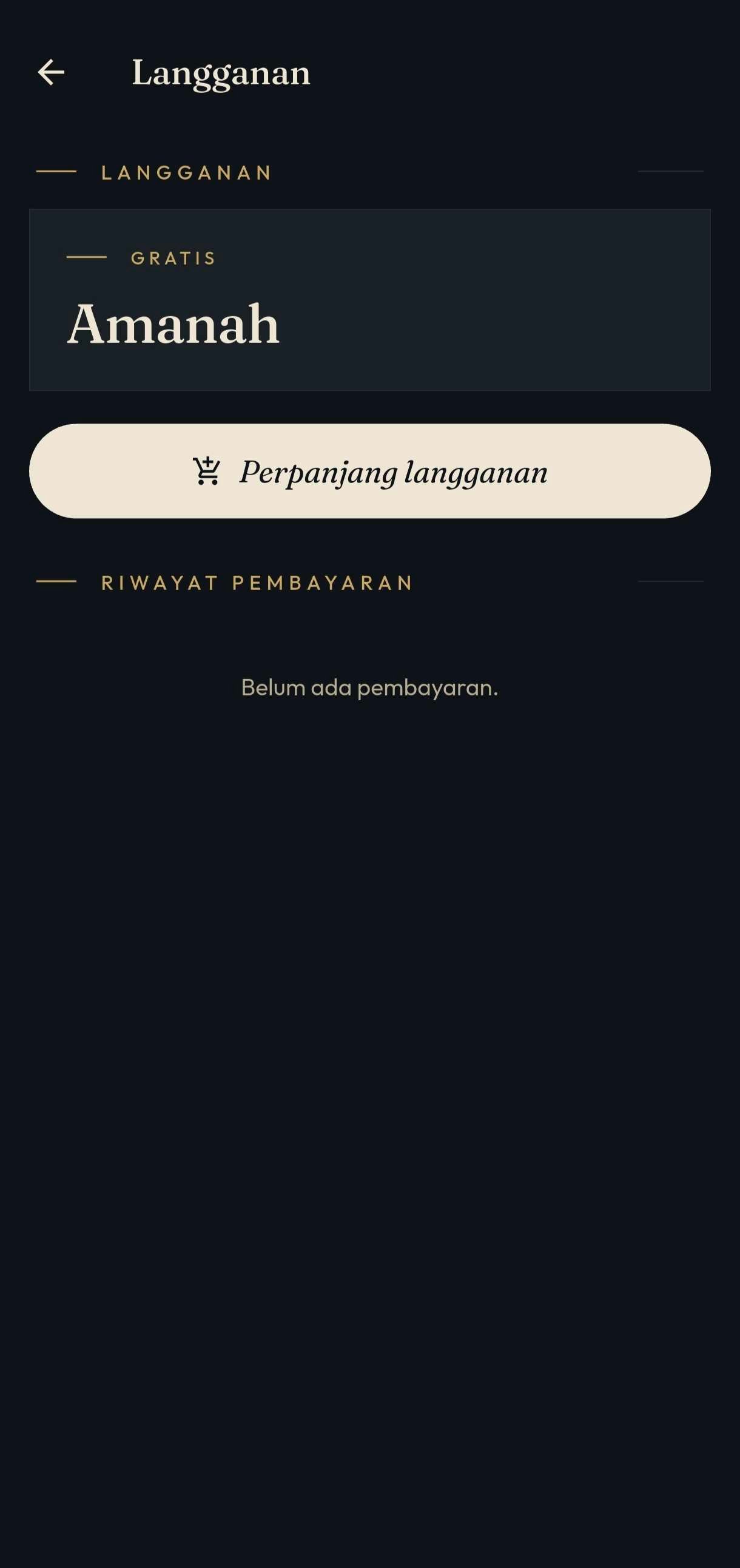
Tap "Extend Subscription".
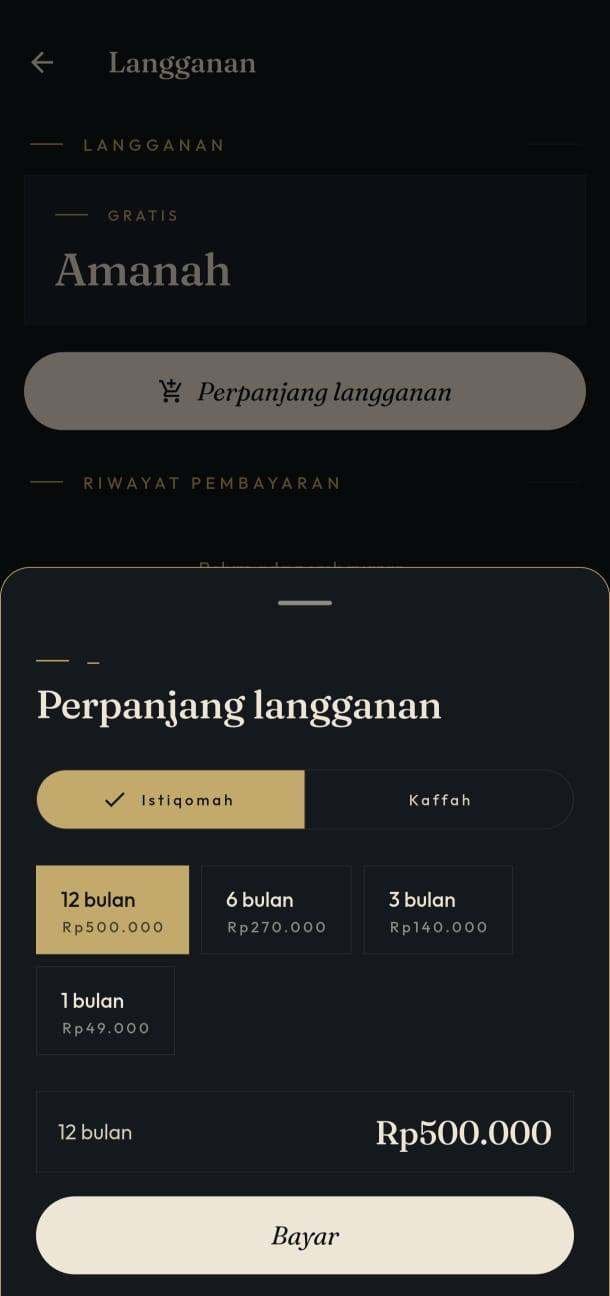
Choose your desired subscription plan and tap "Pay".
Confirm the Google Play in-app purchase by tapping "1-Tap Buy".
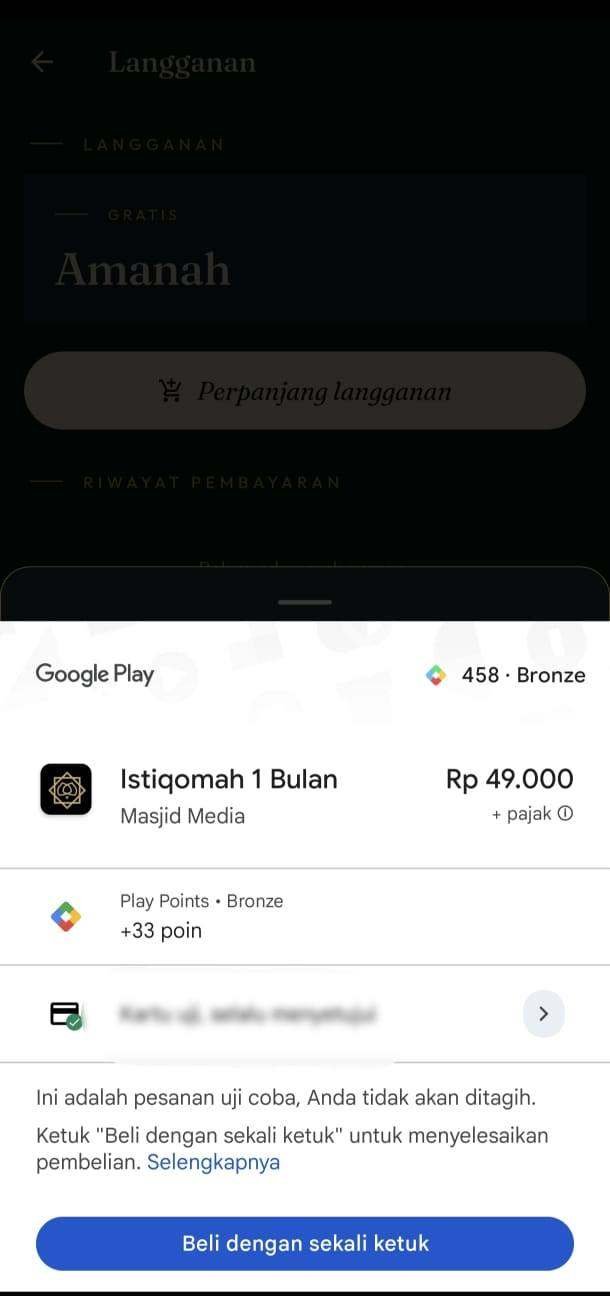
Upon successful payment, subscription active dates will update automatically.

Buying another plan while one is still running
Each purchase adds days at the plan you choose, and days are used up starting with the highest plan. A plan below the one that is running starts after the higher plan ends. When more than one plan is waiting, the "Subscription" page lists them in order, with the date each one runs until, and the days remaining count down to the end of the first one. Once every paid day is used, the mosque continues on the free Amanah plan.