Announcement
This feature can only be accessed by users with the "Owner" and "Admin" roles.
Steps to add an announcement in the Masjid Media app are as follows:
To display an announcement, the owner or admin needs to add it using the "Announcement" feature first. The first step is to open the "My Masjids" menu. The layout of the menu can be seen in the following image.
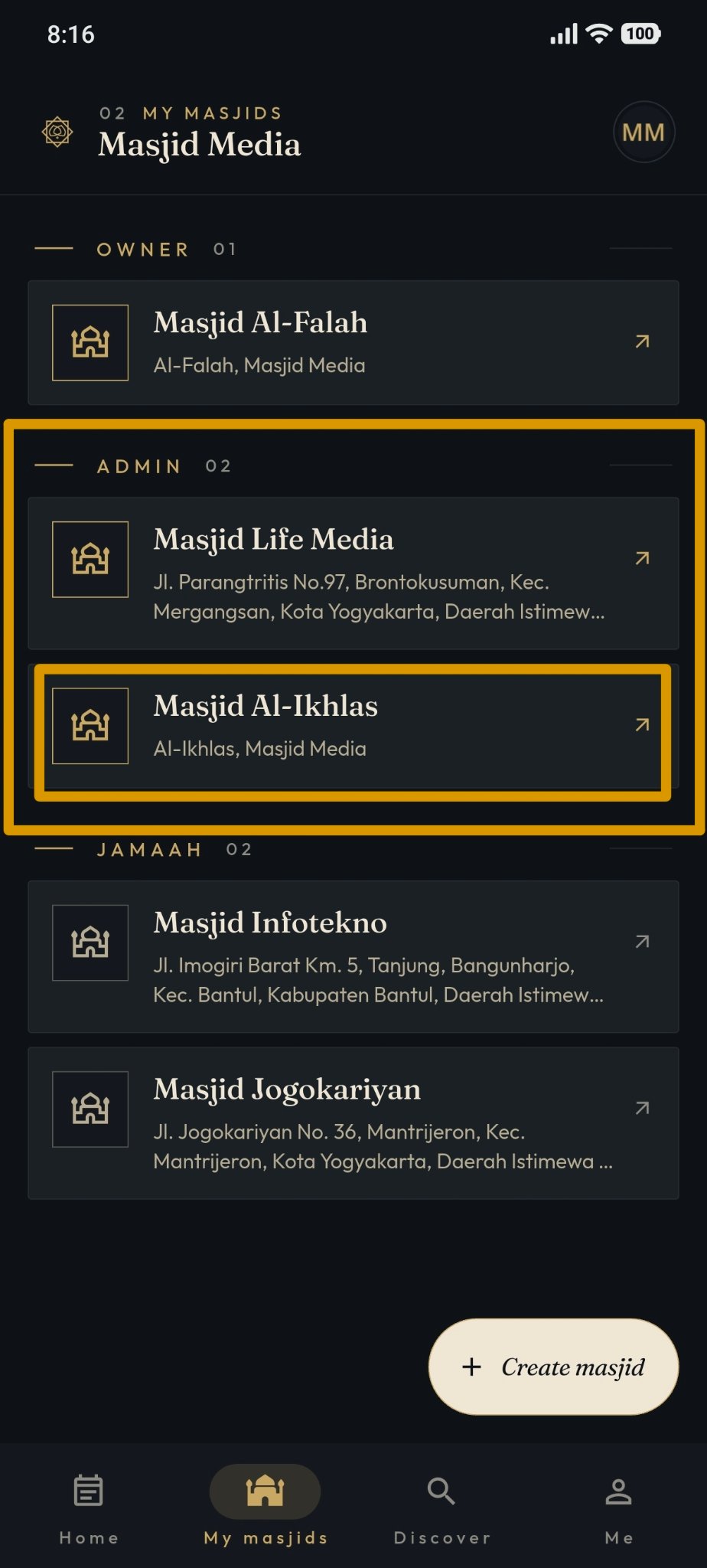
Afterwards, select the "Masjid Owner" section provided. If you do not have a masjid yet, you can create one by following the steps in the following guide: Create Masjid
The display of that page can be seen in the image below. On this page, various features are available, ranging from "Edit Masjid" to "Share QR Code".
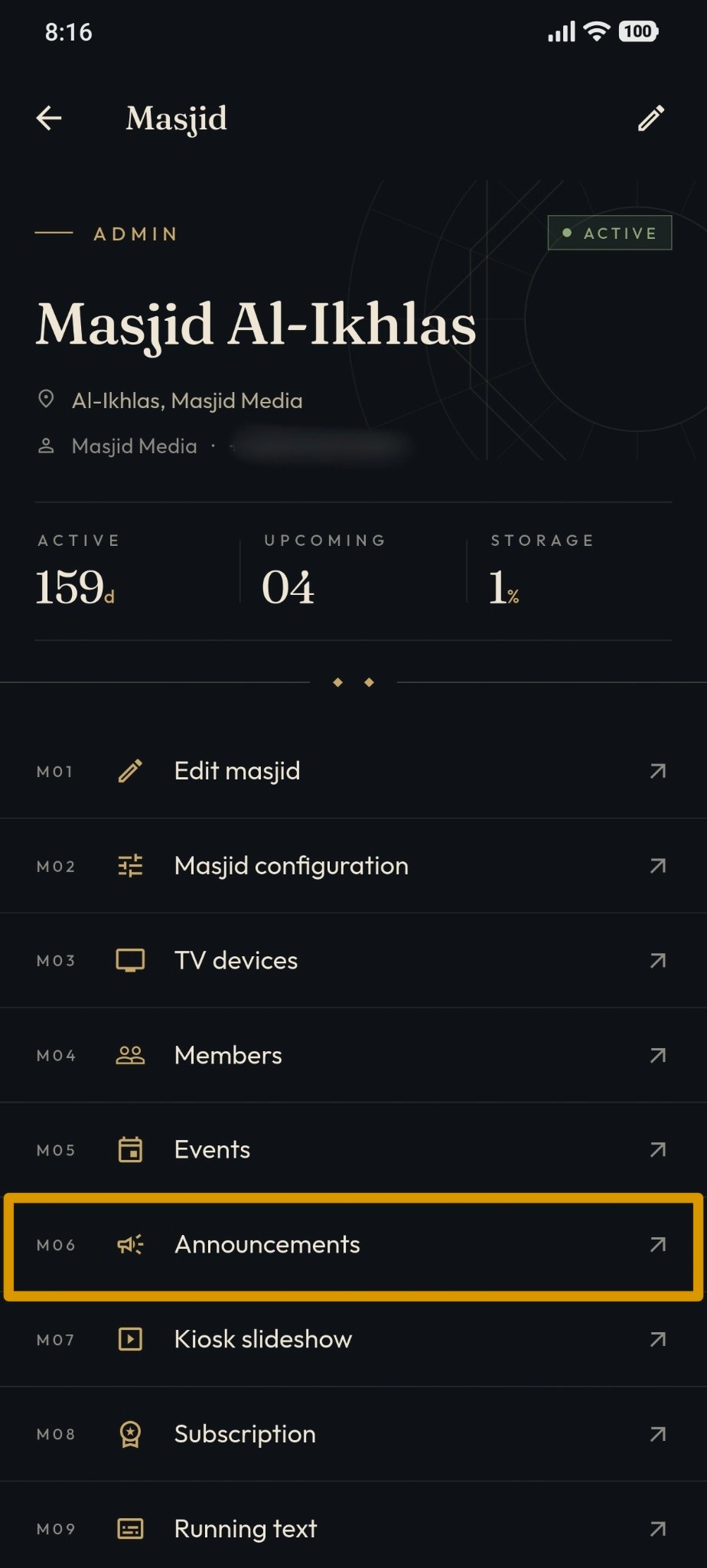
Select the "Announcement" feature to view previously created announcements or to create a new announcement for the masjid.
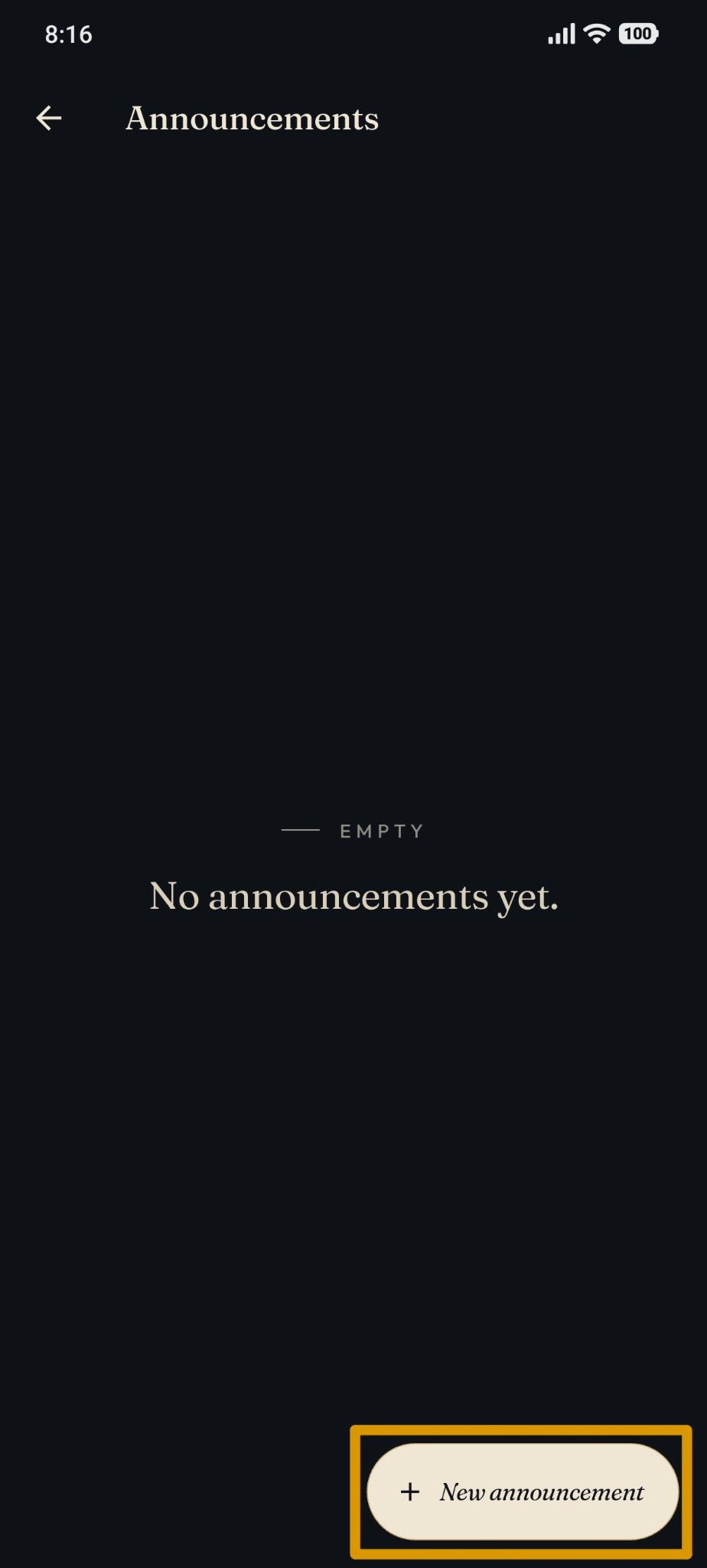
To add a new announcement, tap the "New Announcement" button located at the bottom, as shown in the following image.
Fill in Title, description (content), Publication Date, Publish status, and cover image. An example of filling in the data can be seen in the image below.
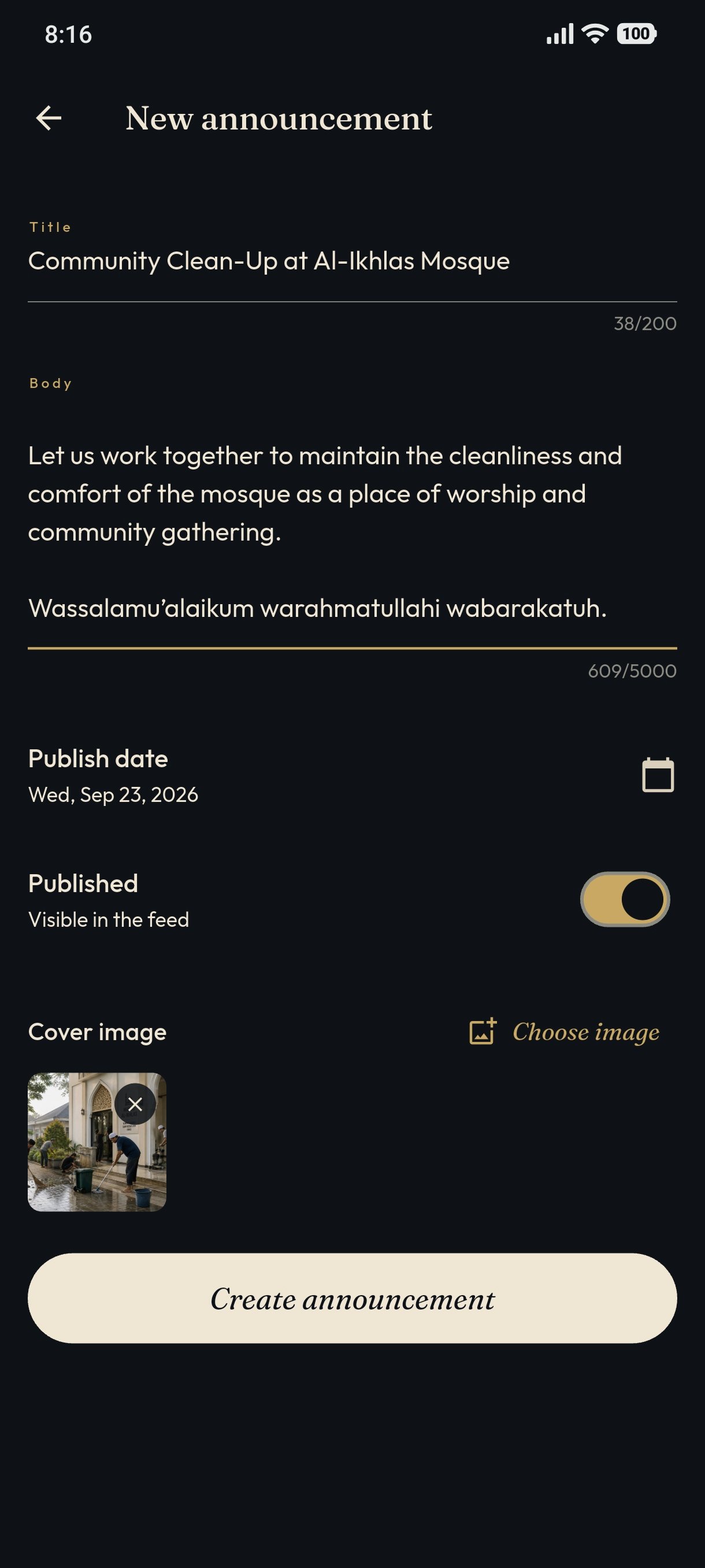
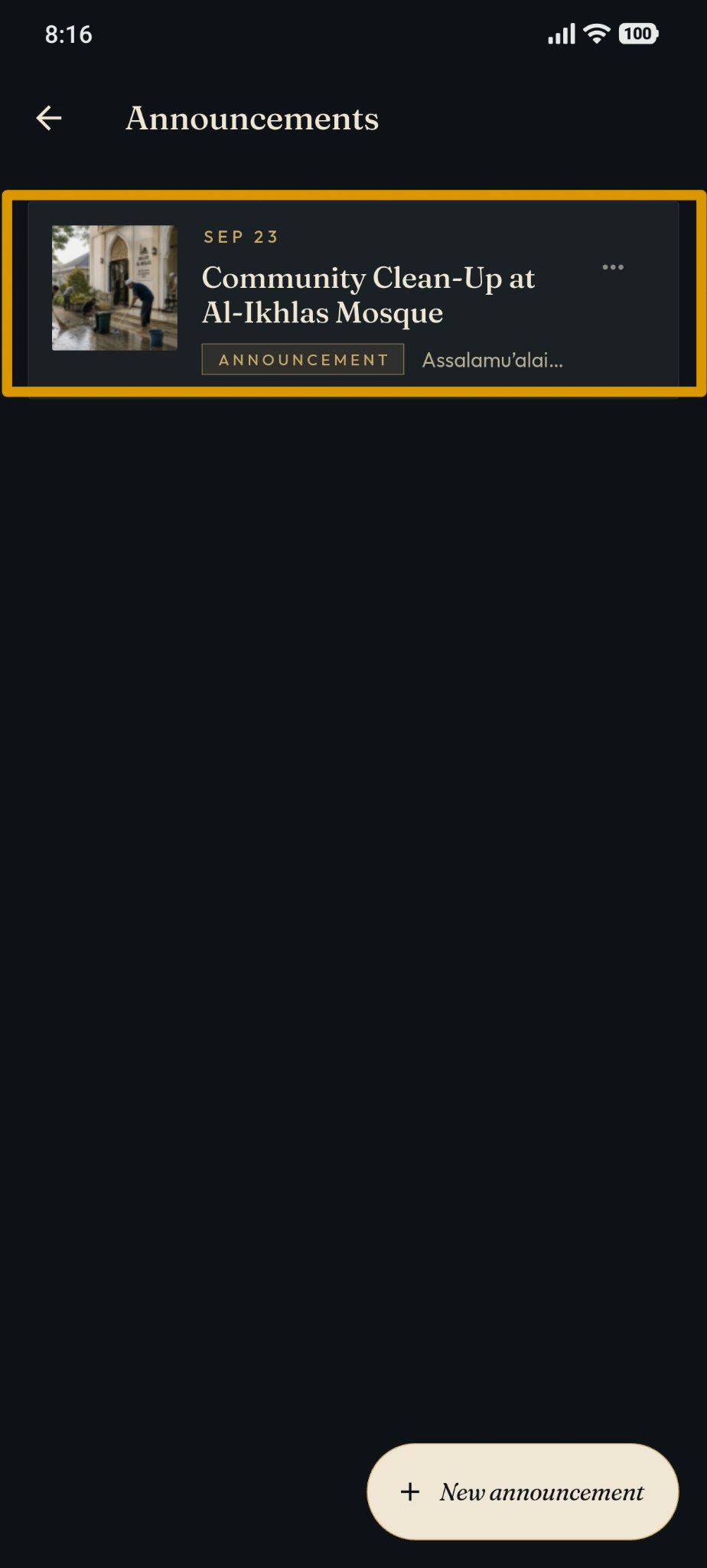
After filling out the data, press the "Save" button to save the announcement data. The final result will appear as follows.