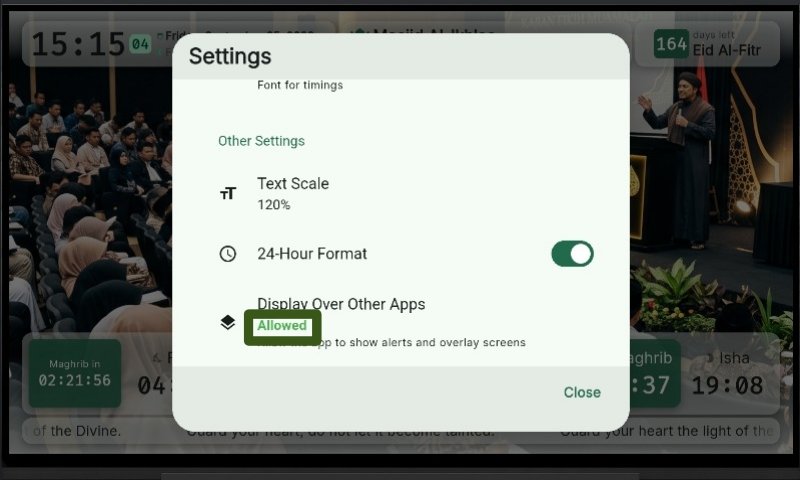
Display Over Other Apps
Steps to grant "Display Over Other Apps" system permission:
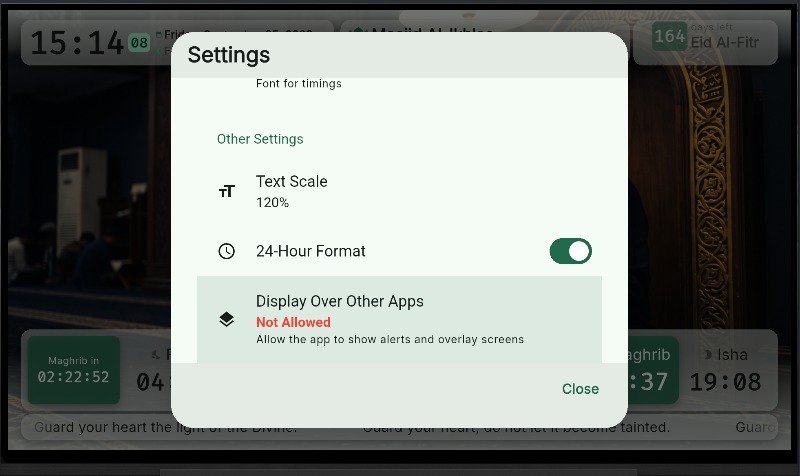
- Press "OK" on the TV remote, then scroll down to "Display Over Other Apps".
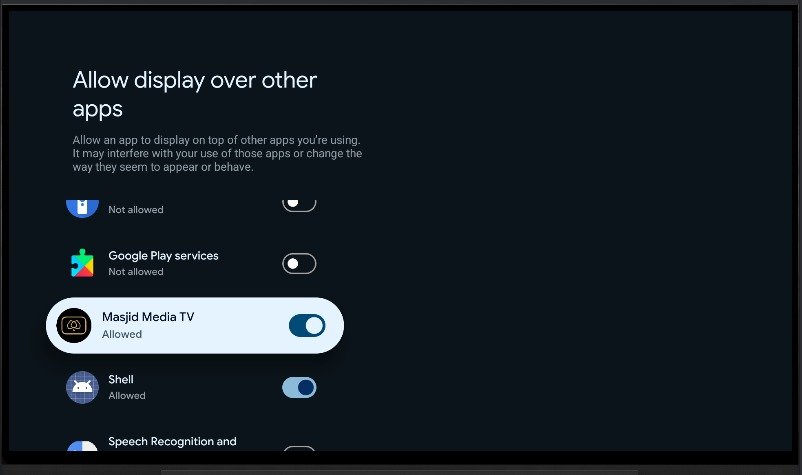
- System settings will show apps requesting overlay permission. Select "Masjid Media TV".
- Once permission is granted, status indicator changes from red to green.